
Through the WordPress Dashboard:
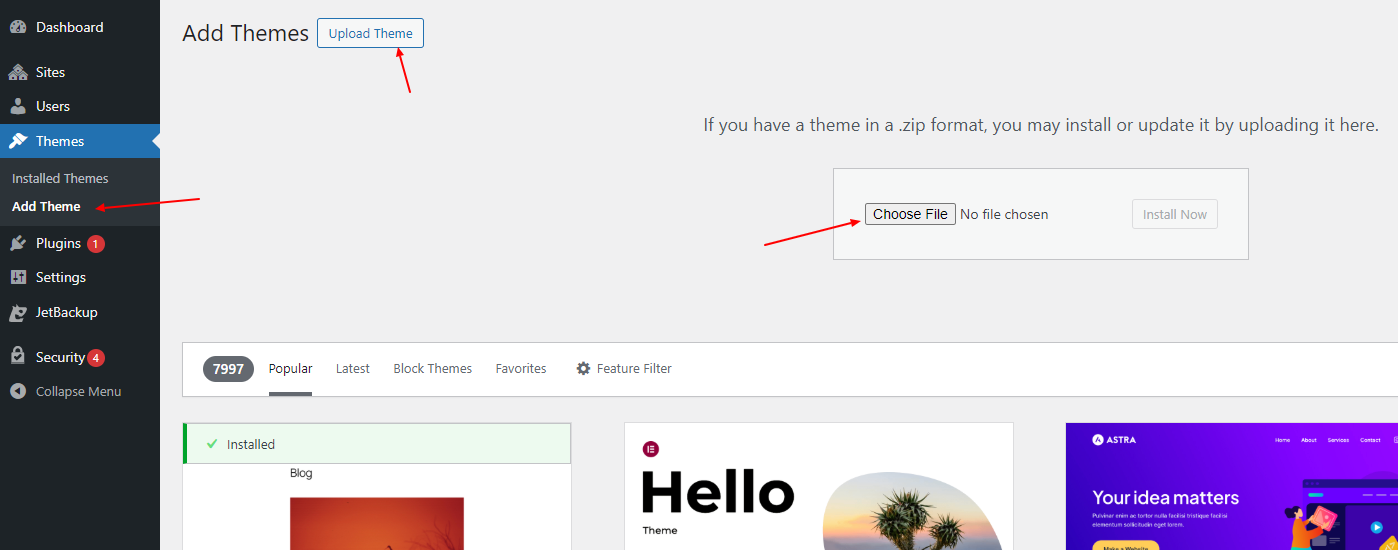
- Log in to your WordPress admin dashboard.
- Navigate to Appearance and click on Themes.
- Click the Add New button.
- Choose the Upload Theme option.
- Click on the Choose File button, select the theme ZIP file from your computer, and click Install Now.
- Once installed, click on Activate to apply the new theme.


